
Doktally · Beta
From hours worked to a paid invoice, without retyping.
Doktally is a web application for freelancers, consultants, agencies and B2B service companies, and the accountants who work with them. Clients, contracts, time, invoices, payments and taxes live in one place.
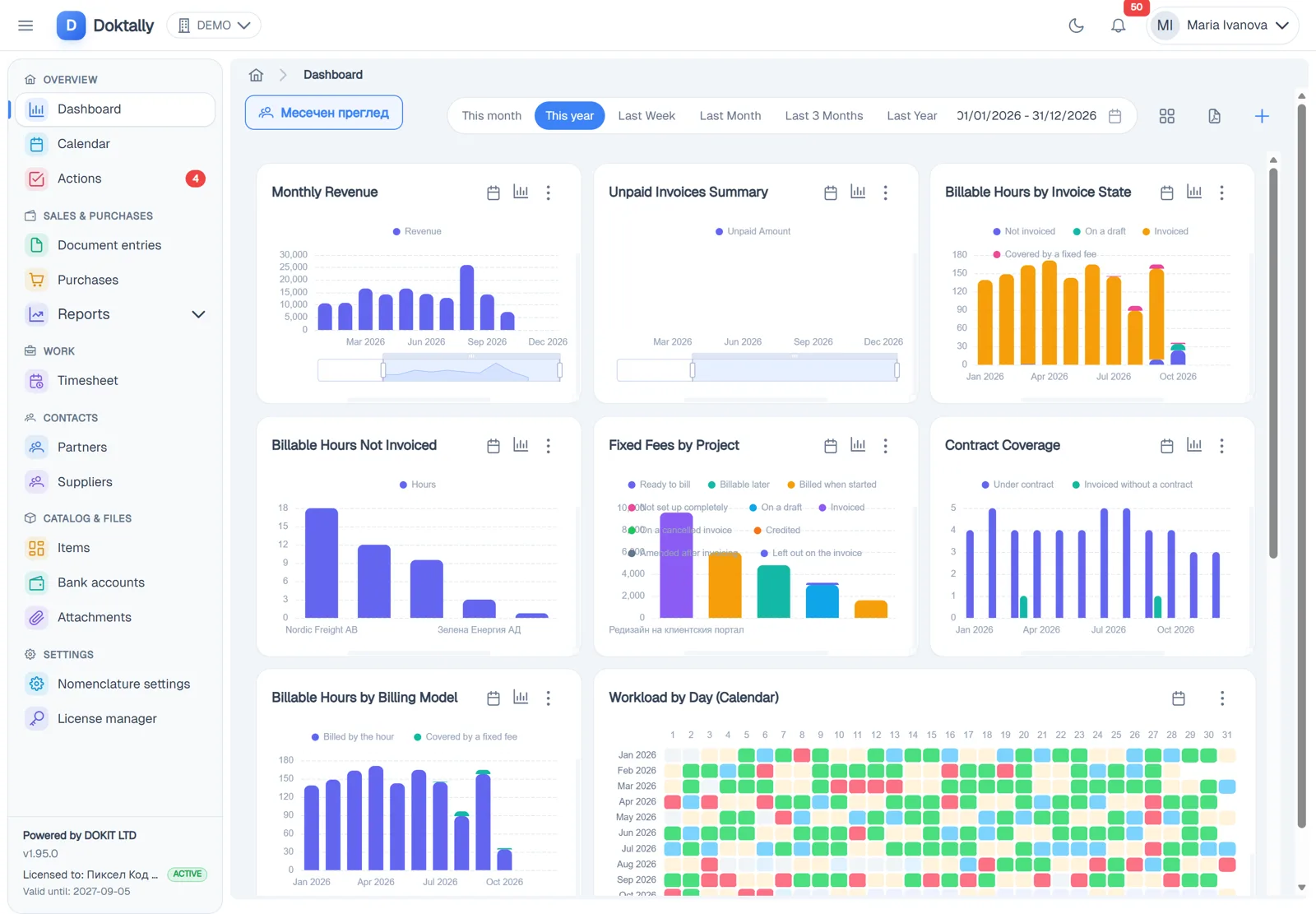
The problem
A small service business usually keeps its admin in several places: a time tracker, a spreadsheet of rates, contracts as PDFs, an invoicing tool, the online bank and an inbox of supplier invoices. The same numbers are typed several times and rarely agree. The costly mistakes happen before the invoice (which hours, at which rate, under which contract, already billed or not) and after it (was it paid, what is still owed).
How the work flows
- Client
- Contract and project
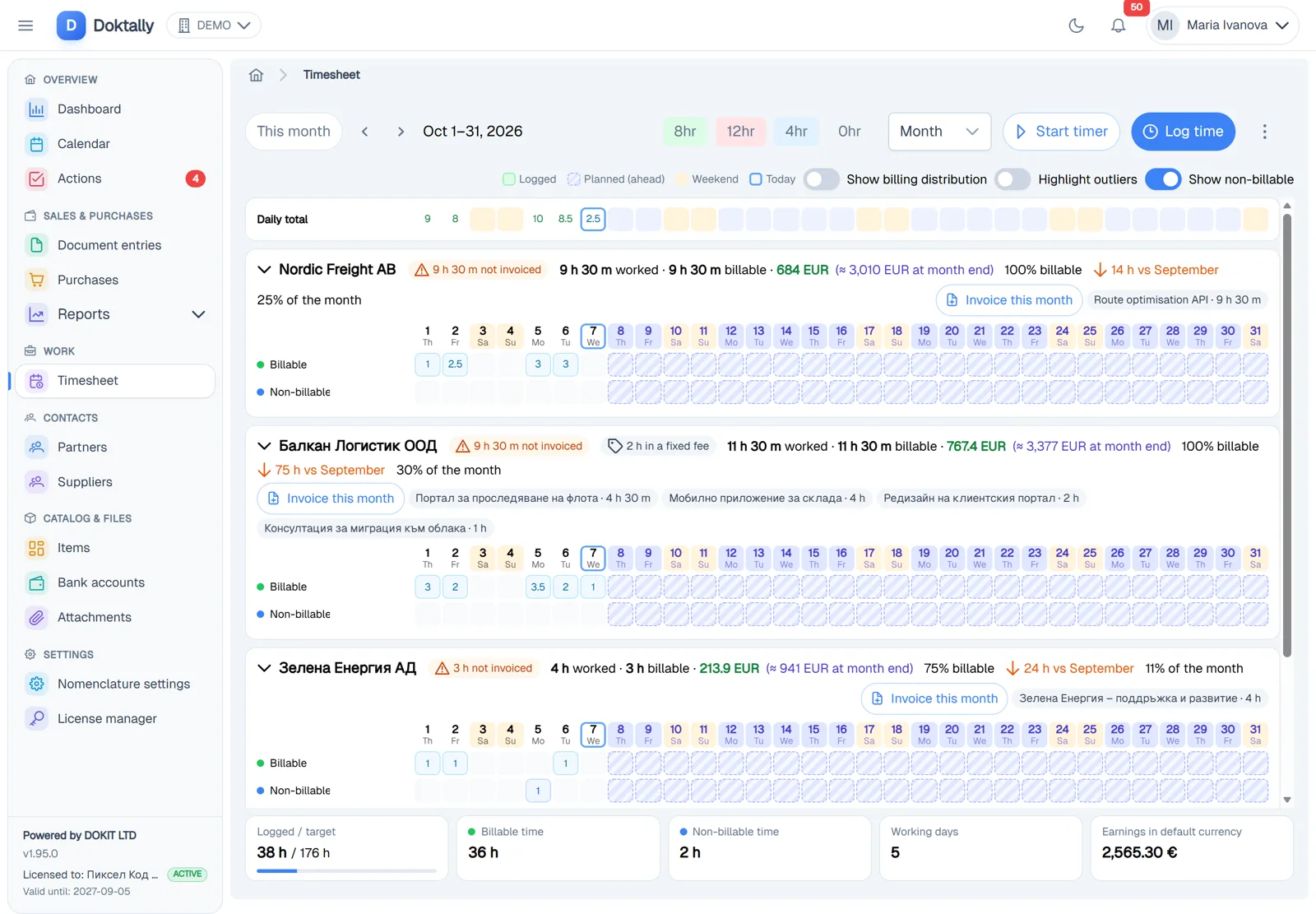
- Time
- Draft invoice
- Readiness check
- Issue and send
- Bank statement
- Paid
- Reports
What makes it different
The invoice is built from its sources
Time, contract rates, fixed fees, retainers, recurring charges and billable expenses become a draft. Nobody types hourly lines.
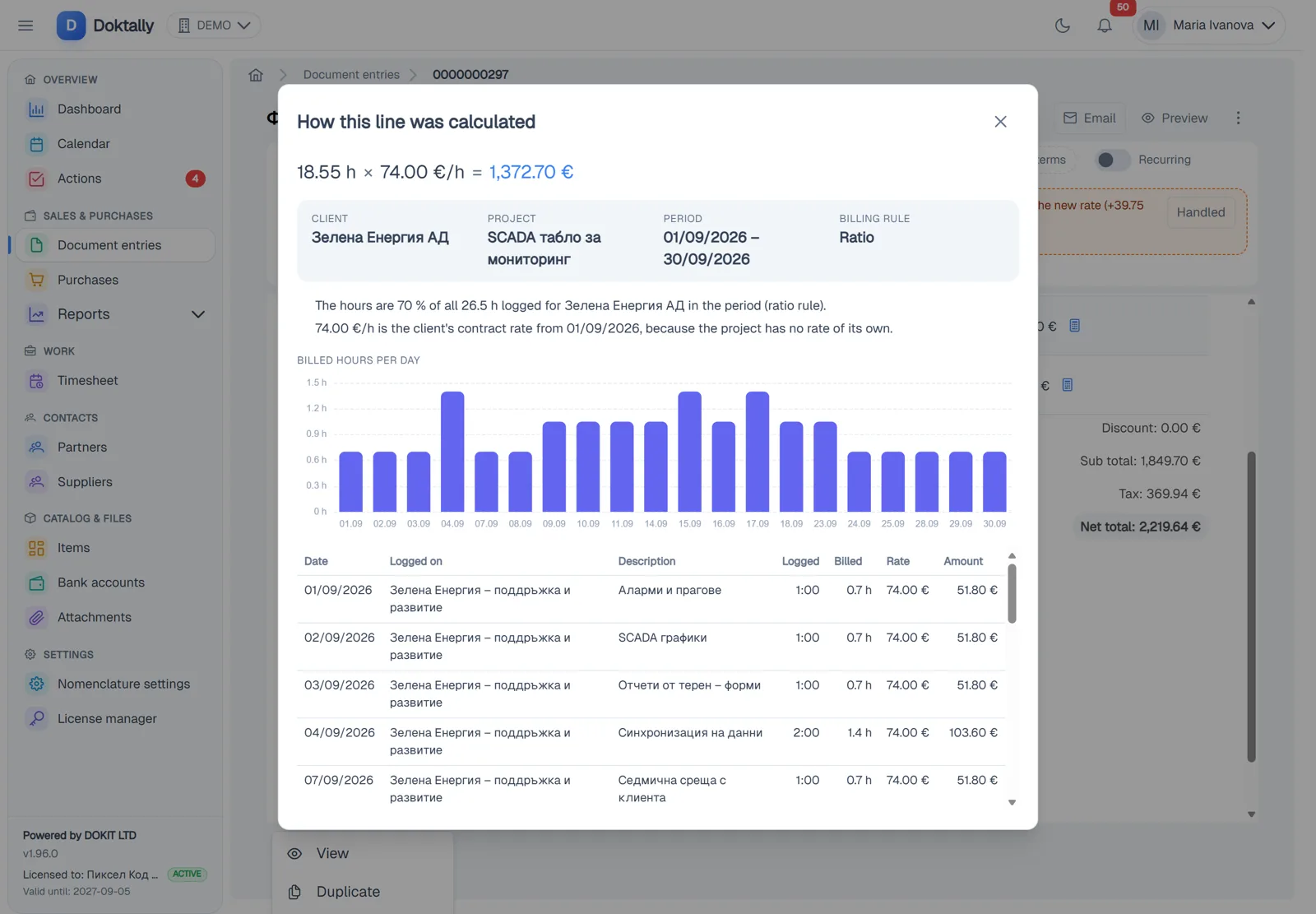
Every amount explains itself
Each line shows the time entries, the hours per day and where its rate came from.
Problems are stopped before issue
A readiness check blocks invoices with no rate, unpriced time outside a contract, a missing purchase order, an exceeded limit or a fee already billed.
Contracts are part of billing
Effective-dated rates, amendments, retainers with rollover, fixed fees billed once, limits and notice reminders.
Issued means frozen
Numbering happens in one transaction, issued documents never change, and corrections are made only with credit or debit notes.
Payments come from the bank
Statements are imported and matched to invoices by rules you can read.
Made for Bulgaria
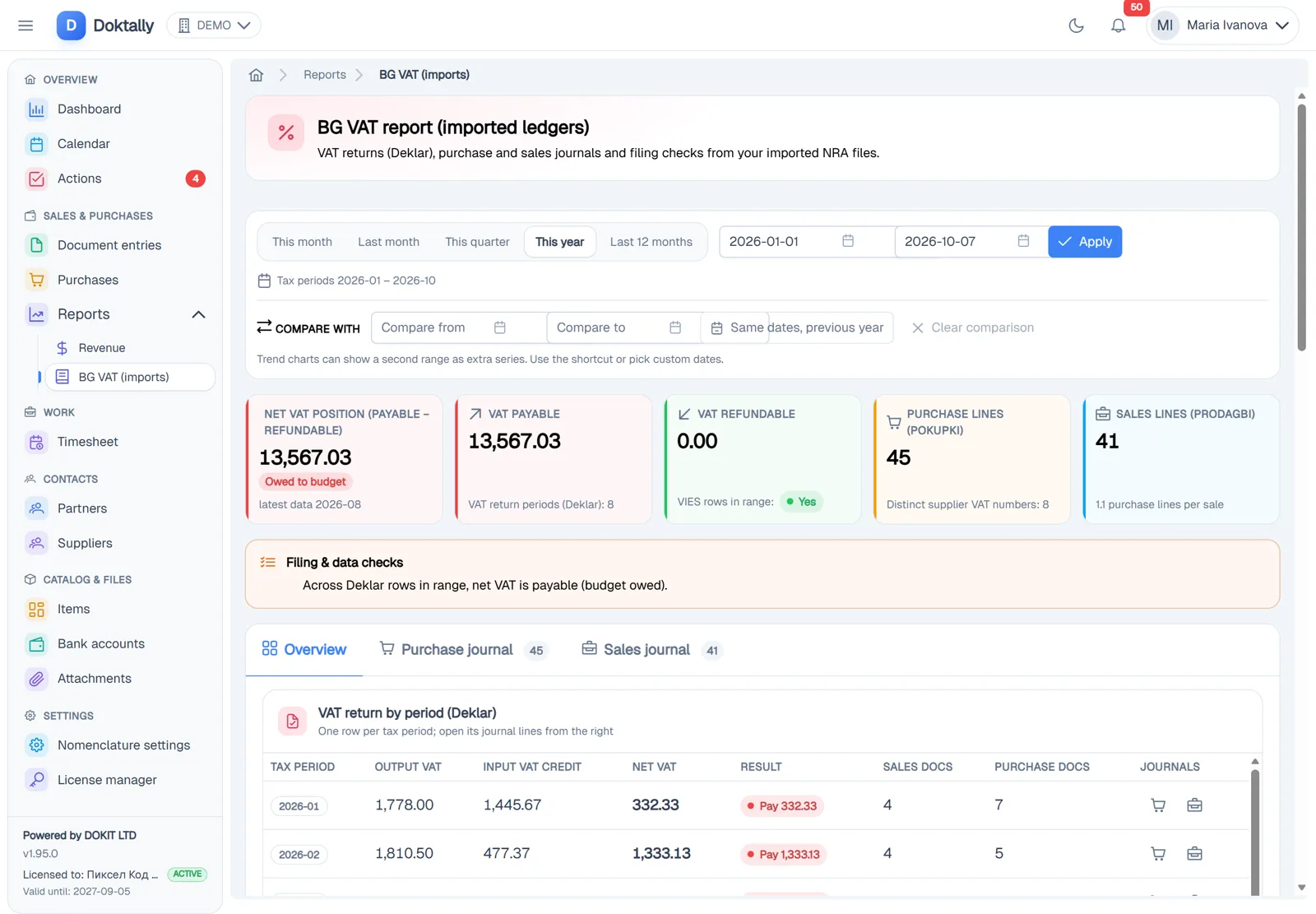
- Documents under the Bulgarian VAT Act: ten-digit numbering without gaps, issue deadlines, protocols, cancellation with a protocol
- Sales and purchase ledgers, the VAT return and the VIES return
- Import of the NRA journals and declaration, and purchase reconciliation
- VAT number checks in VIES and BNB exchange rates
- Payroll with D1 and D6 declarations, payslips and time off (add-on)
Organizations outside Bulgaria can use it too: the Bulgarian rules and modules are switched off, and numbering and document language are free.
An AI assistant with your permissions
The assistant answers questions about your organization's data and carries out routine steps after you confirm them. It sees only what you may see. The same capabilities are available to external AI apps through an MCP server.
Categorization, unclear payments and messages to the accountant go through rules first. AI is asked only about what remains.
Plans
Solo
Invoice and get paid
€12 / month excl. VAT
- 50 issued documents a month
- 1 user
- 1 issuing company
- Invoices, e-invoices, expenses, bank, invoice reading, imports, reports
Team
Bill your time
€39 / month excl. VAT
- 250 issued documents a month
- 5 users
- 3 issuing companies
- Everything in Solo plus time tracking, projects, contracts, purchases, dashboards and notifications
Business
Run the company
€99 / month excl. VAT
- 1,000 issued documents a month
- 15 users
- 10 issuing companies
- Everything in Team plus VAT filing and the MCP server
Add-ons: AI assistant, MCP access, VAT filing, payroll (per employee), extra users and companies. A yearly plan costs ten months. A new organization gets 30 days of Business with the AI assistant and payroll, without a card.
What Doktally is not
- Not a full accounting ledger: no double-entry books or statutory statements. It prepares and checks what the accountant needs.
- Not an ERP: no inventory, manufacturing or CRM pipeline.
- It does not issue invoices by itself. Schedules remind; a person starts and issues each invoice.
- No Peppol sending yet: Peppol documents can be generated, not sent.